User Guide - Adding Users
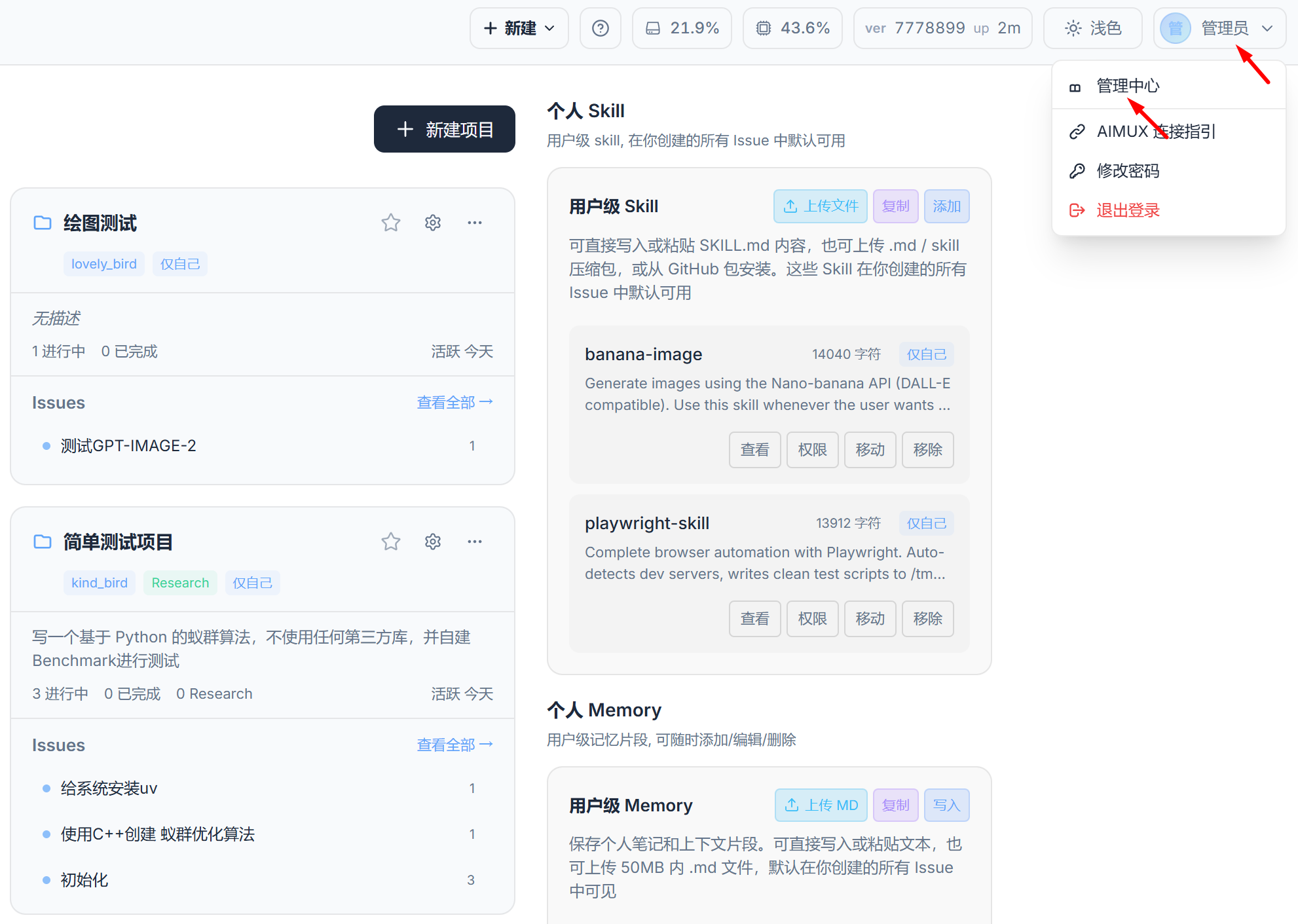
- Go to the Admin Center
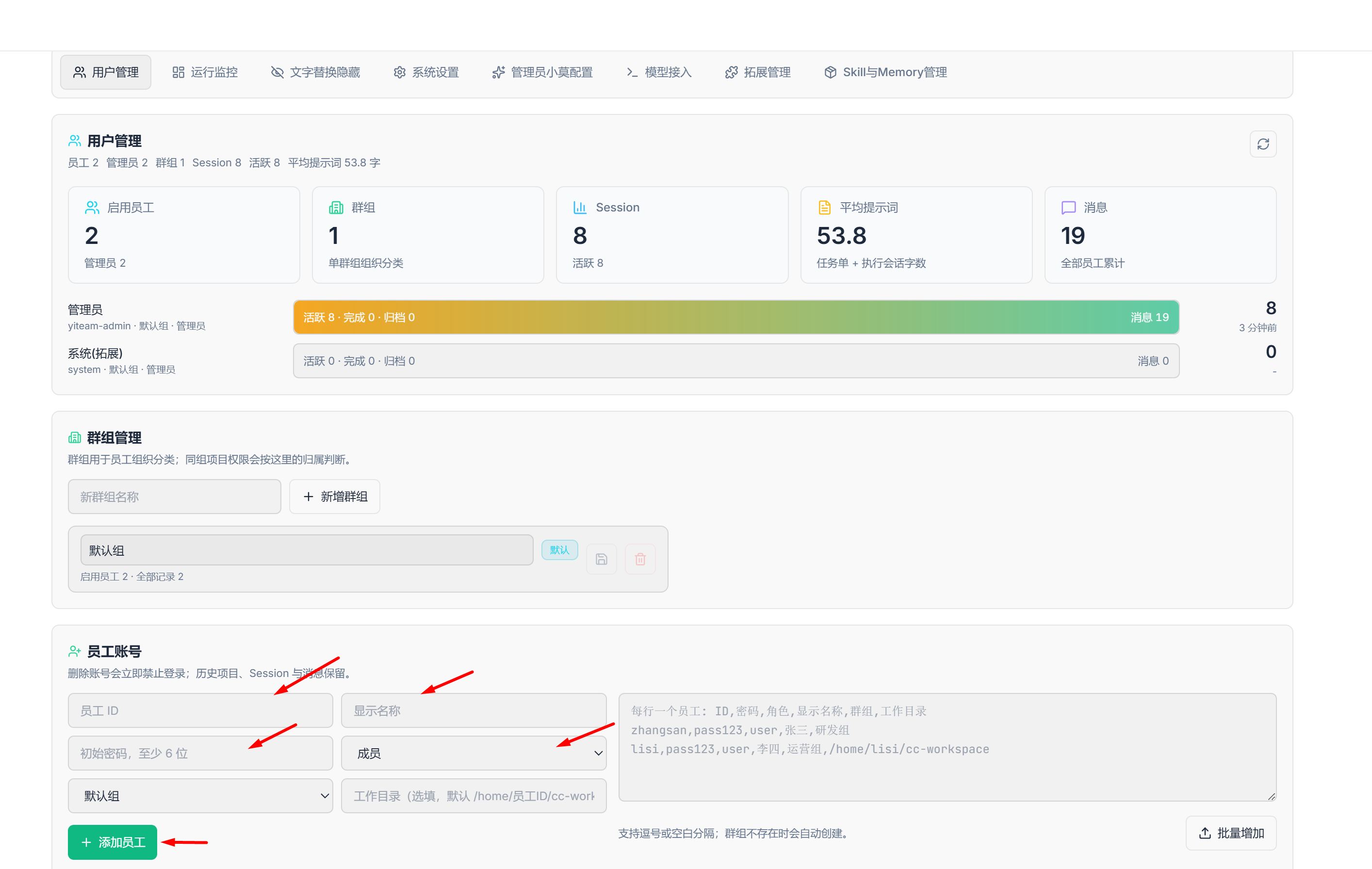
- Fill in the following fields, then select "Add Employee" (Note: Member permissions are lower, Admin permissions are higher. For small teams, selecting Admin for everyone is recommended)
- Return to the login page and sign in