Add a Custom Team Member
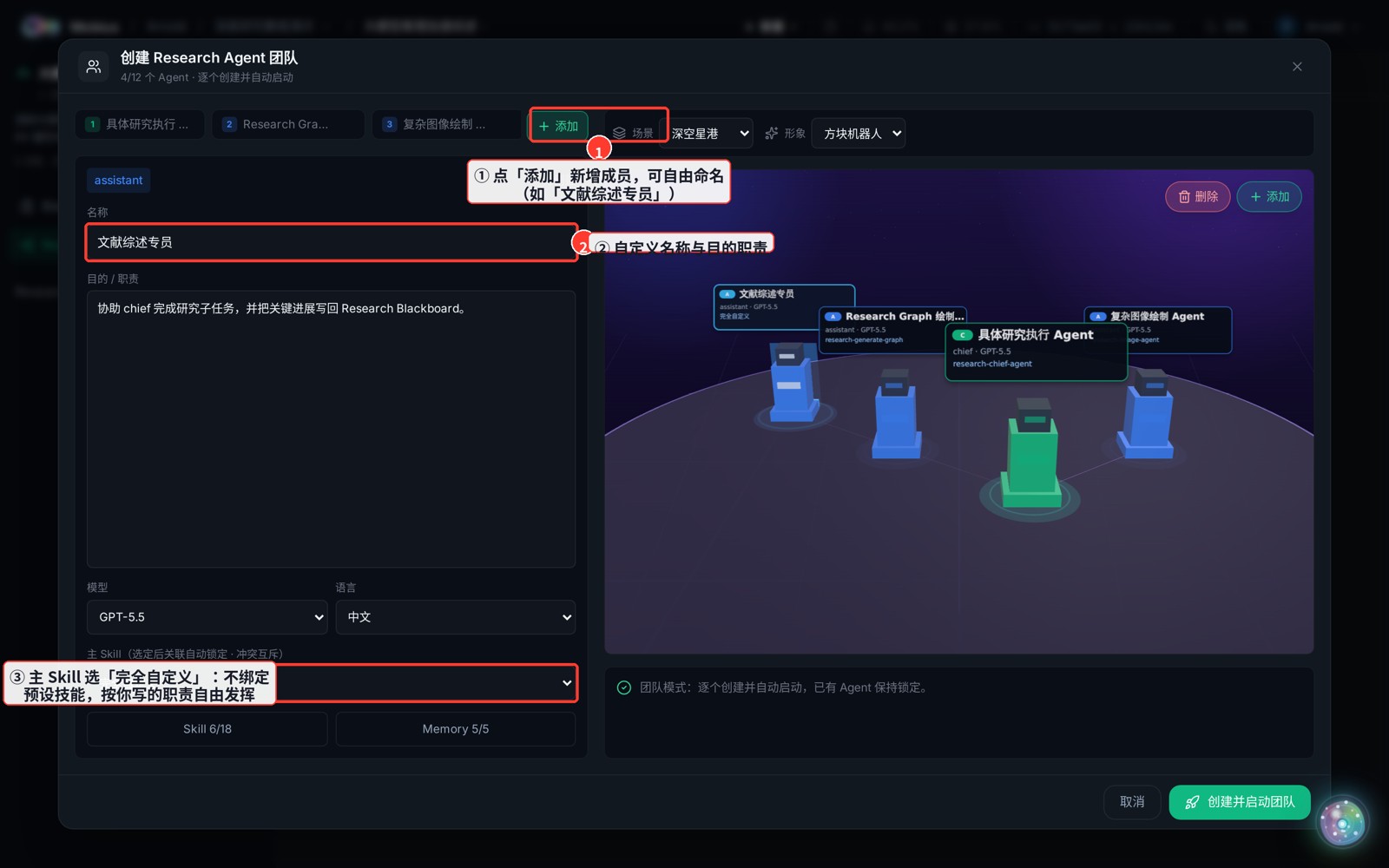
The three preset members are just a starting point. You can "Add" a fully custom member — bound to no preset skill, free to act on whatever responsibility you write.
How
- Click "Add" in the tab strip to add an assistant, and name it freely (e.g. "Literature Review Specialist").
- Edit its name and purpose / responsibility.
- Leave the "Main Skill" as "Fully custom" (i.e. pick no preset skill).
Note
Once a main Skill is set to a preset, it is mutually exclusive-locked (so two members can't grab the same skill). To let a member freelance, keep it "Fully custom" and use the Skill / Memory checkboxes below to control which context it can see.