User Guide - Prevent Agents from Slacking Off (Patrol / Agent Nudge)
A Mobius background job patrols every 60 seconds: if it finds a session whose agent has stopped working but whose
running.flagis still present (the classic sign of a stuck / idling / unfinished agent), it automatically posts a message into that session to nudge it back to work. Each project can customise the nudge message and the cadence under "Patrol Settings - Agent Nudge".
1. Find the setting
Open a project. In the Project Settings panel on the right, locate the "Patrol Settings - Agent Nudge" card.
2. Configure the message and cadence
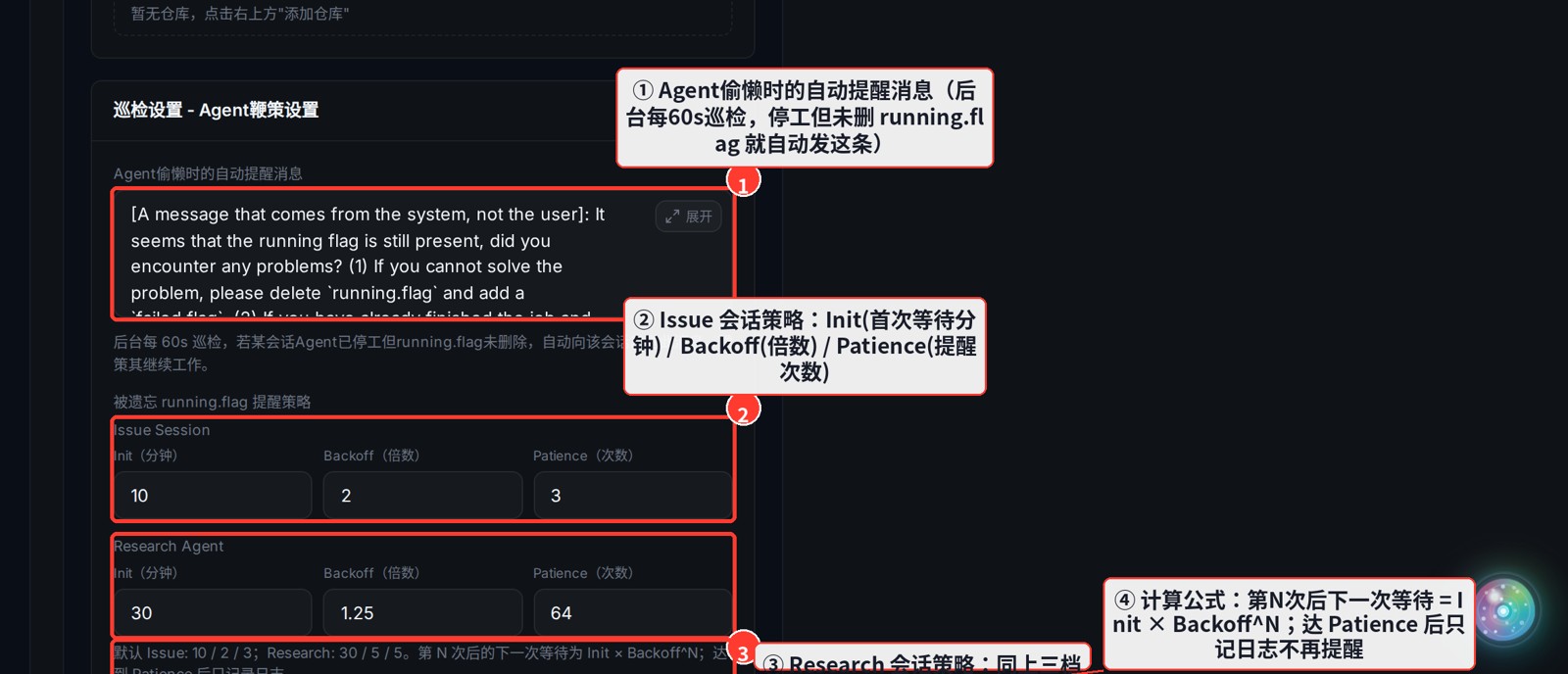
- ① Nudge message: the text auto-sent to an idling session. Something like "Please continue the task and remove the running.flag" works well.
- ② Issue session strategy: three knobs for normal task sessions —
Init(minutes before the first nudge),Backoff(multiplier),Patience(max nudges). - ③ Research session strategy: the same three knobs for research sessions; defaults are looser (research takes longer).
- ④ Formula: after the Nth nudge, the next wait =
Init × Backoff^N; oncePatienceis reached it only logs and stops nudging.
Defaults: Issue
10 / 2 / 3(first nudge after 10 min, then 20, 40, … up to 3 times); Research30 / 5 / 5. Changes auto-save to the current project.