User Guide - Exclude Skills & Memory Irrelevant to the Current Project
When creating a session, the "Preview Config" step lists every Skill and Memory that will be injected (project-level + your user-level). Irrelevant ones can confuse the agent and waste tokens — simply uncheck them here and they won't enter this session.
1. Reach "Preview Config"
From an Issue, click [+ New Session], fill in the name and description, then click [Next · Preview Config].
2. Exclude irrelevant Skills
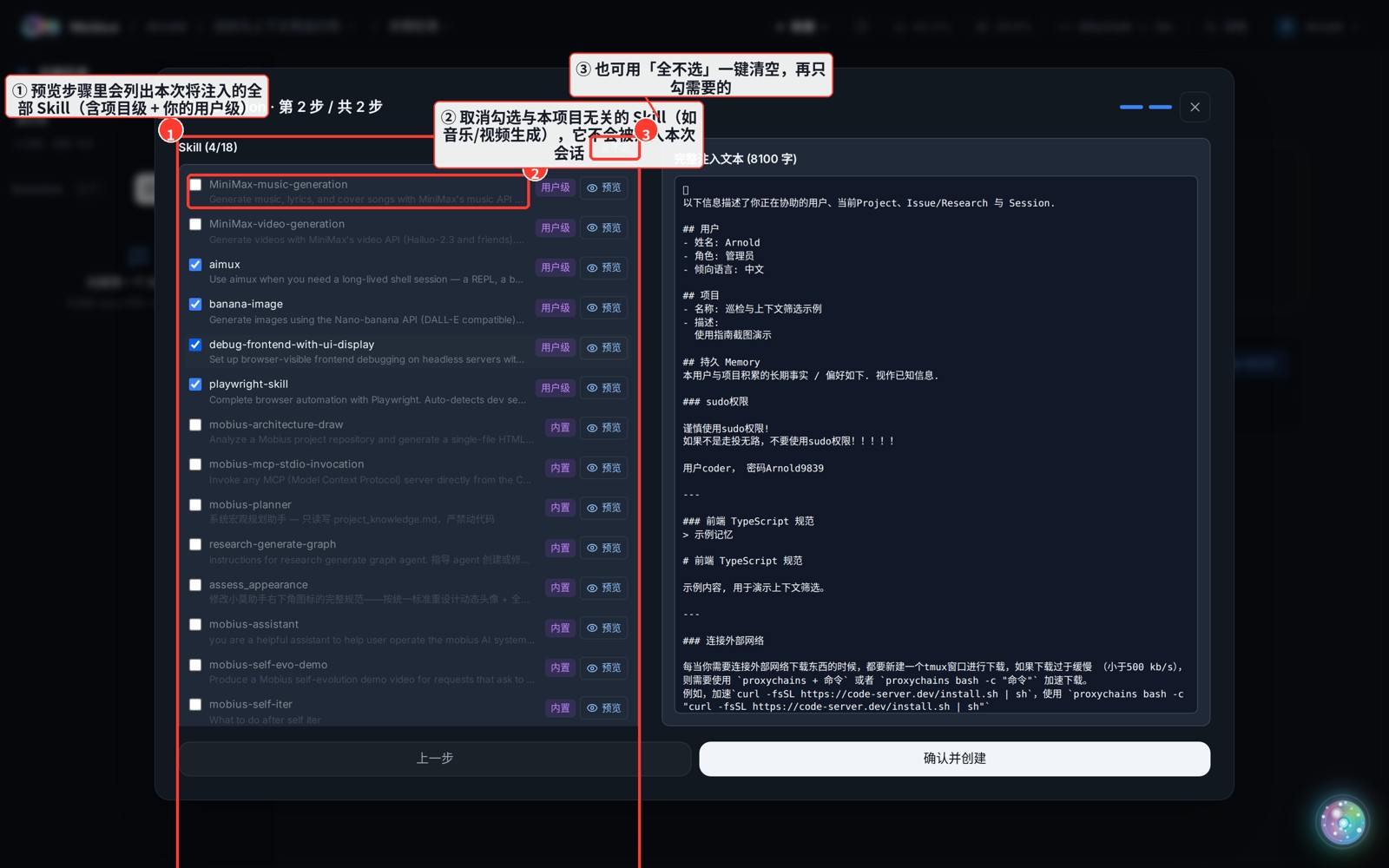
- ① The preview lists every Skill that will be injected.
- ② Uncheck anything irrelevant to this project (e.g. "music generation / video generation" skills in a pure-code project) — it won't be injected; the row greys out and the count becomes
Skill (4/6). - ③ Use [Select None] at the top right to clear all at once, then check only what you need.
3. Exclude irrelevant Memory
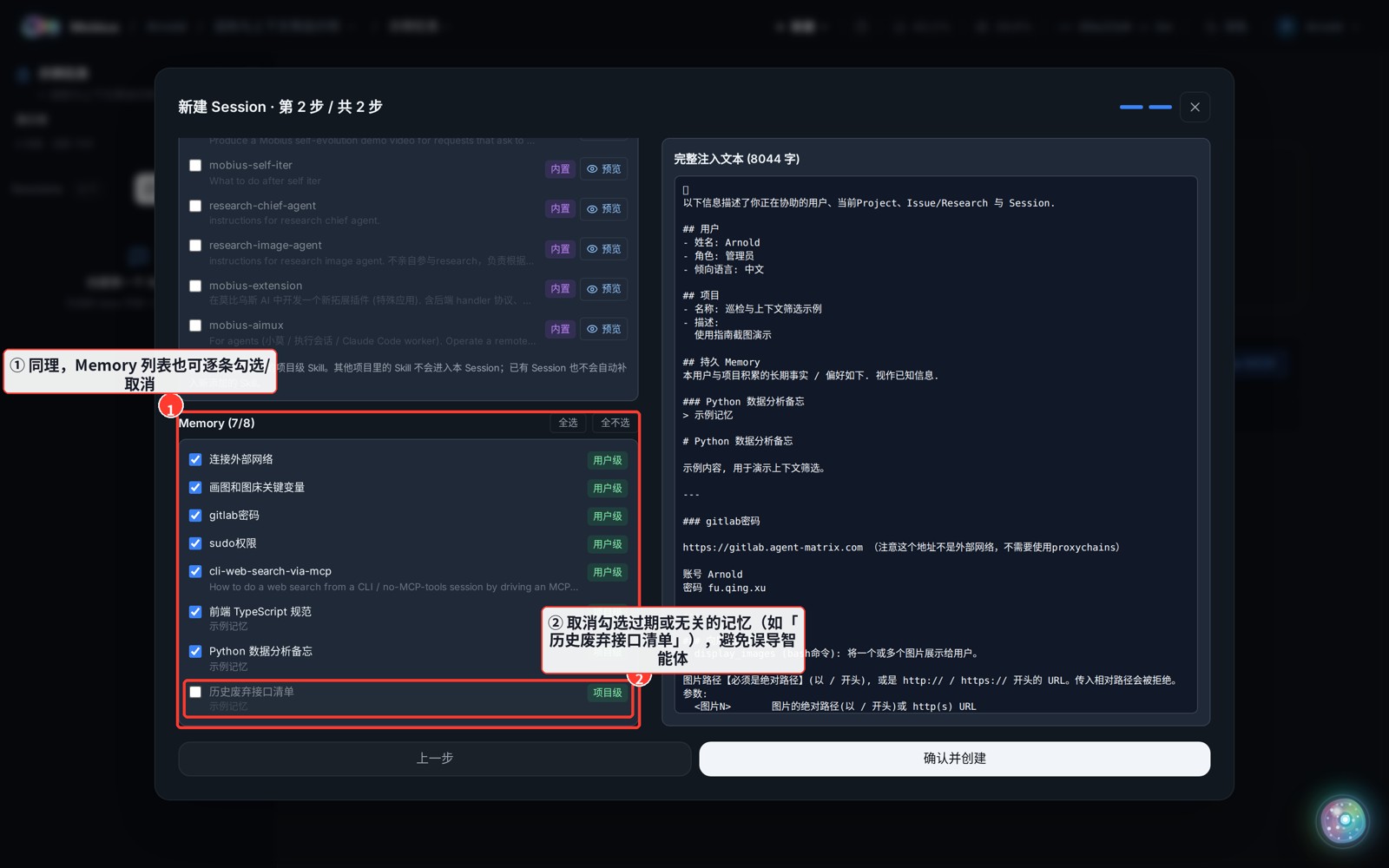
- ① The Memory list is toggleable per item, just like Skills.
- ② Uncheck stale or off-topic memories (e.g. "deprecated API list") so they don't mislead the agent.
The selection is snapshotted into the session: after creation it is unaffected by later Skill/Memory additions or deletions. To block something long-term, delete it directly in the corresponding user/project settings.