Chat Input Tips
A few high-frequency shortcuts live in the session input bar. All four buttons sit on the same row as the text box:
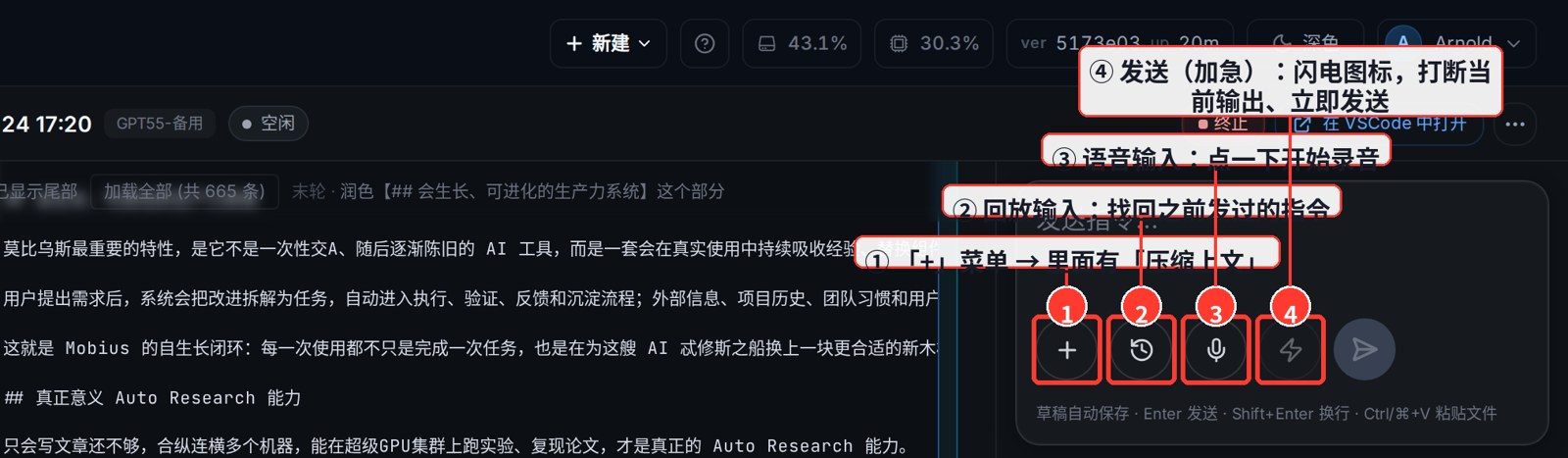
① Send (Urgent): interrupt the current output and send immediately
The lightning icon is Send (Urgent). When the agent is mid-output and you want to cut in or change direction, click it — the current output is interrupted and your new message is sent right away, no waiting.
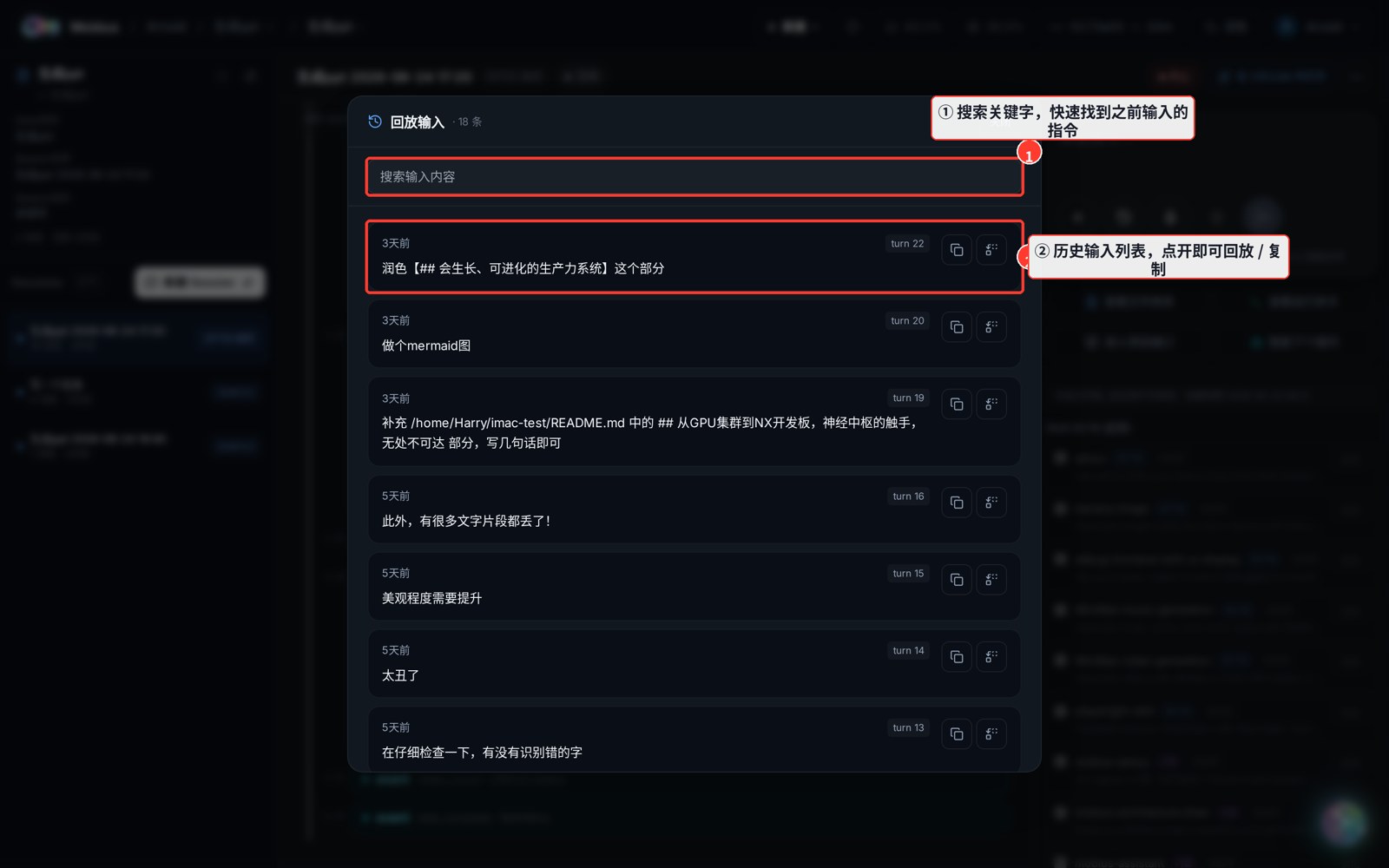
② Recover a previous prompt (Replay Input)
The history icon is Replay Input. Open it to see every prompt you've sent in this session, with search, replay, and copy — no need to re-type an earlier instruction.
③ Voice input
The microphone icon is Voice input. Click once to start recording; your speech is auto-transcribed into the input box. Click again (the square icon) while recording to stop.
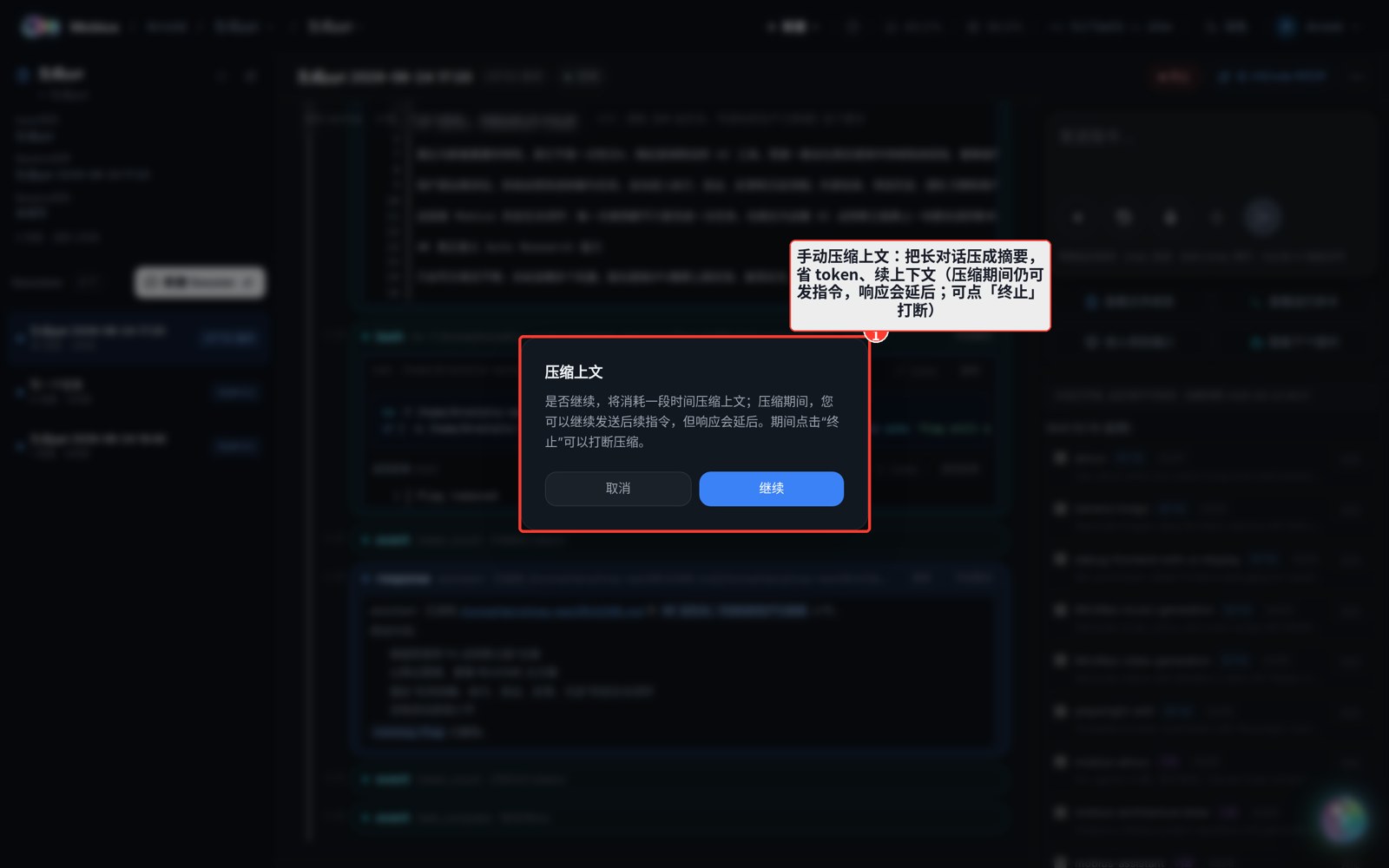
④ Manually compress context
Open the + menu → Compress Context to summarise a long conversation — saving tokens and extending the context window. You can keep sending instructions during compression (responses are delayed), or click "Stop" to abort.
In short: lightning to rush, history to replay, mic to dictate, plus to compress — four keys, double the efficiency.