Change a Member's Avatar
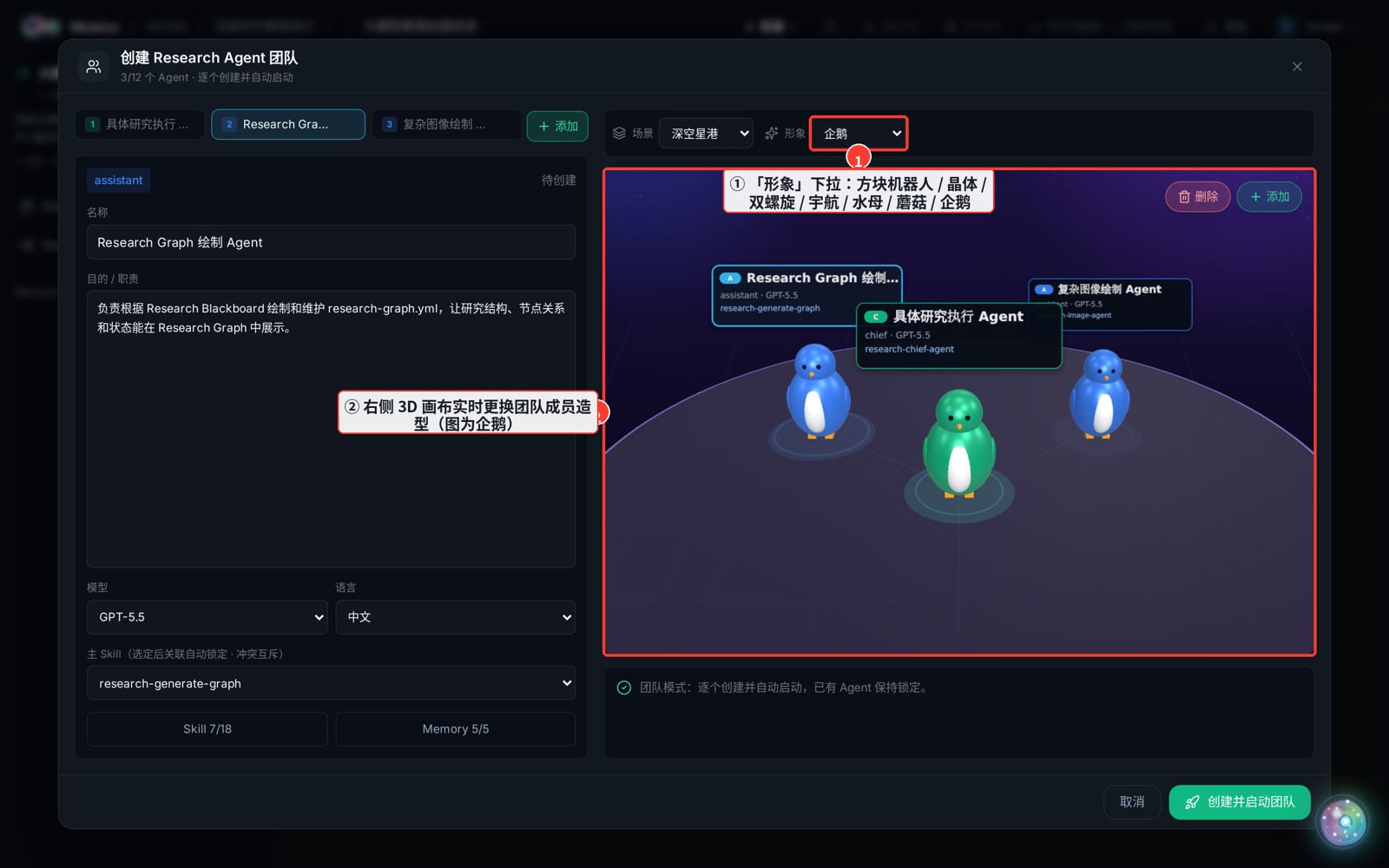
The right side of the team panel is a 3D canvas where every member stands on a stage. Use the "Avatar" dropdown in the top toolbar to restyle the whole team — it's purely visual and does not affect agent behavior.
How
- The "Avatar" dropdown in the team panel's top-right offers 7 looks: block robot / crystal core / double helix / space droid / jellyfish / mushroom / penguin.
- The adjacent "Scene" dropdown switches between 9 backgrounds (city skyline / research lab / deep-space port …).
Tip
Avatar and scene are presentation only. The chief stays green, assistants blue, and the selected member is highlighted — handy for clicking the member you're editing directly on the canvas.