Enable Research & Create a Task
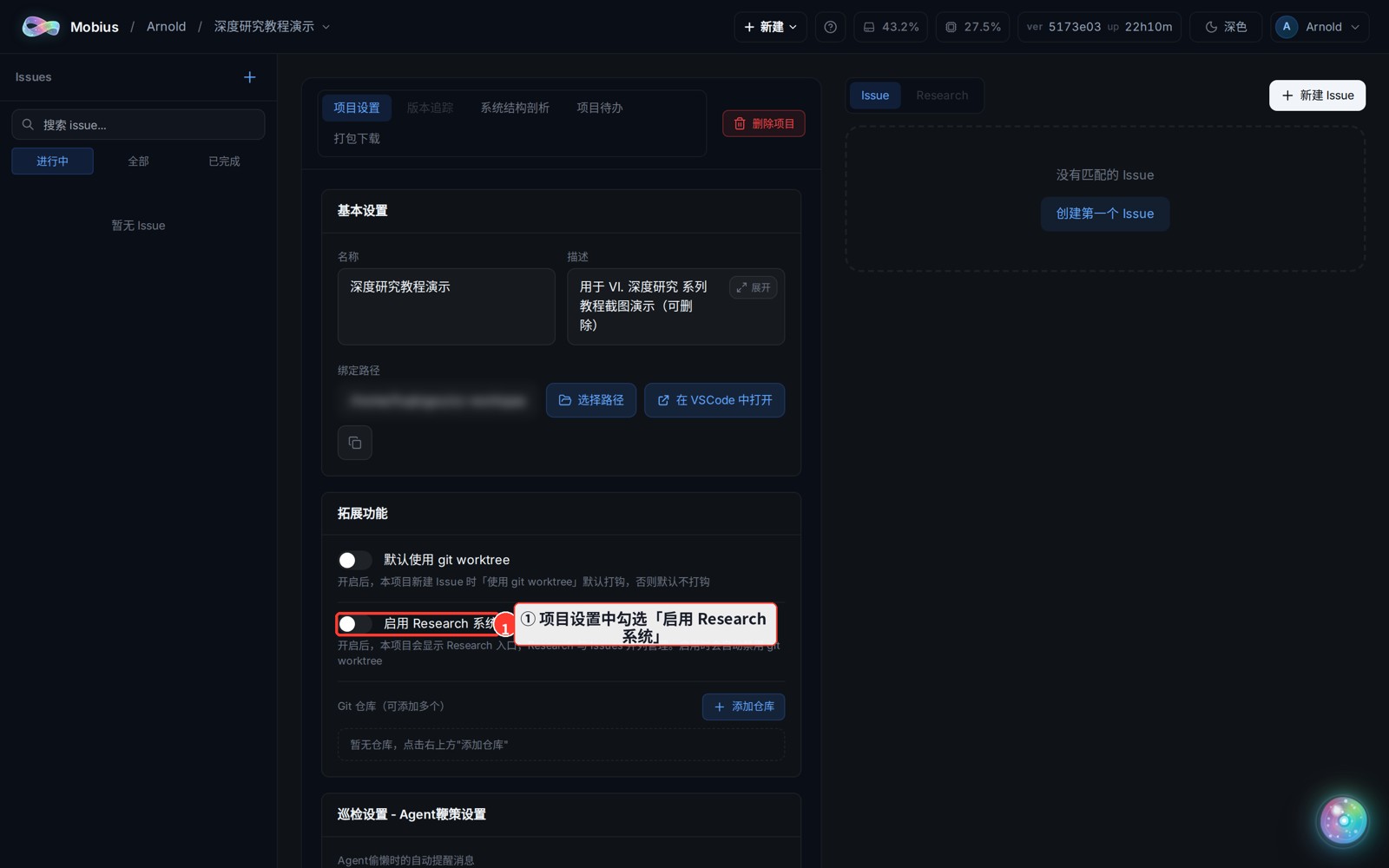
Research (Deep Research) is Mobius's multi-agent scientific work surface. It is enabled per project — tick "Enable Research system" in the project settings and a Research tab appears, under which you can create any number of research tasks and assemble an agent team for each.
1. Enable the Research system in project settings
- Open the project page and tick "Enable Research system" in the left "Project Settings" panel (settings save in real time).
Side effect
Enabling Research forces git worktree off for this project (research agents must collaborate on the main checkout). Existing sessions are unaffected.
2. Create a research task
- Switch to the top "Research" tab → click "New Research", fill in the title and description → "Create".
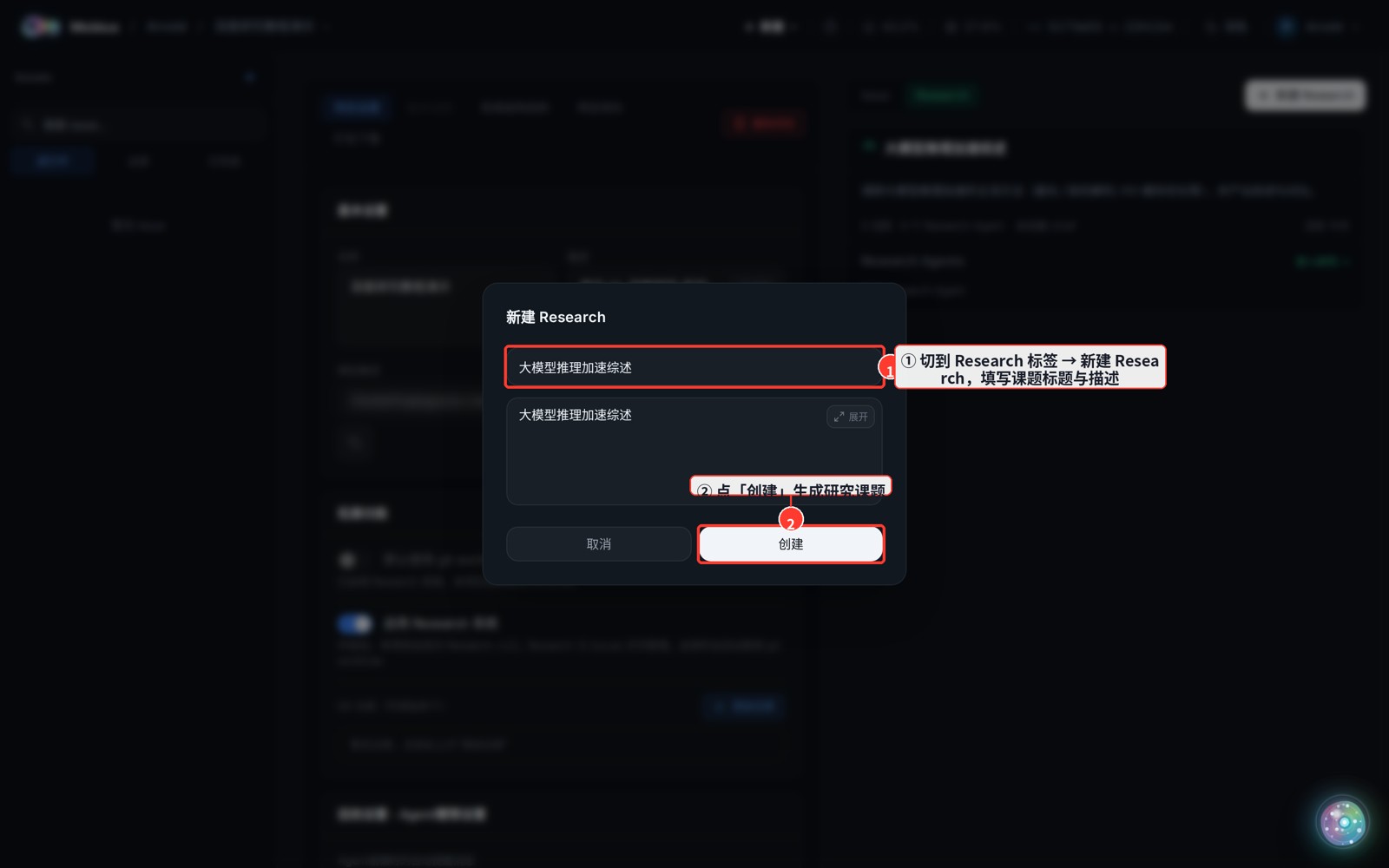
- You get a research card; open it and use "New Agent" on the right to assemble a team and kick off the research.