User Guide - Adding Remote Compute (aimux remote)
Register one or more remote SSH machines as a project-level Memory. New execution sessions in that project can then drive them in one sentence — e.g.
aimux new --remote <Host> --cwd <remote-path> --name <session-name>.Because host names, paths, status, and hardware all change with the environment, this produces a Memory (not a Skill); sensitive details such as private-key paths live only in the memory.
1. Open the project's "Project Memory"
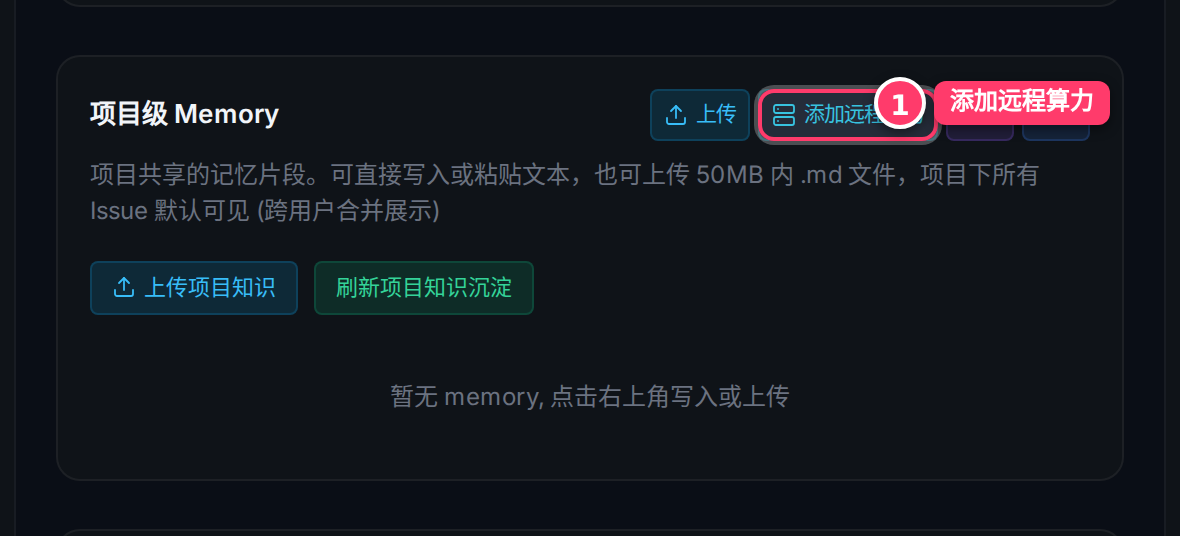
Open any project. In the Project Settings panel on the right, find the "Project Memory" card and click the cyan [Add Remote Compute] button.
2. Modal overview
The "Add Remote Compute" modal opens with two columns: the remote machine list and actions on the left, the add-form and memory preview on the right.
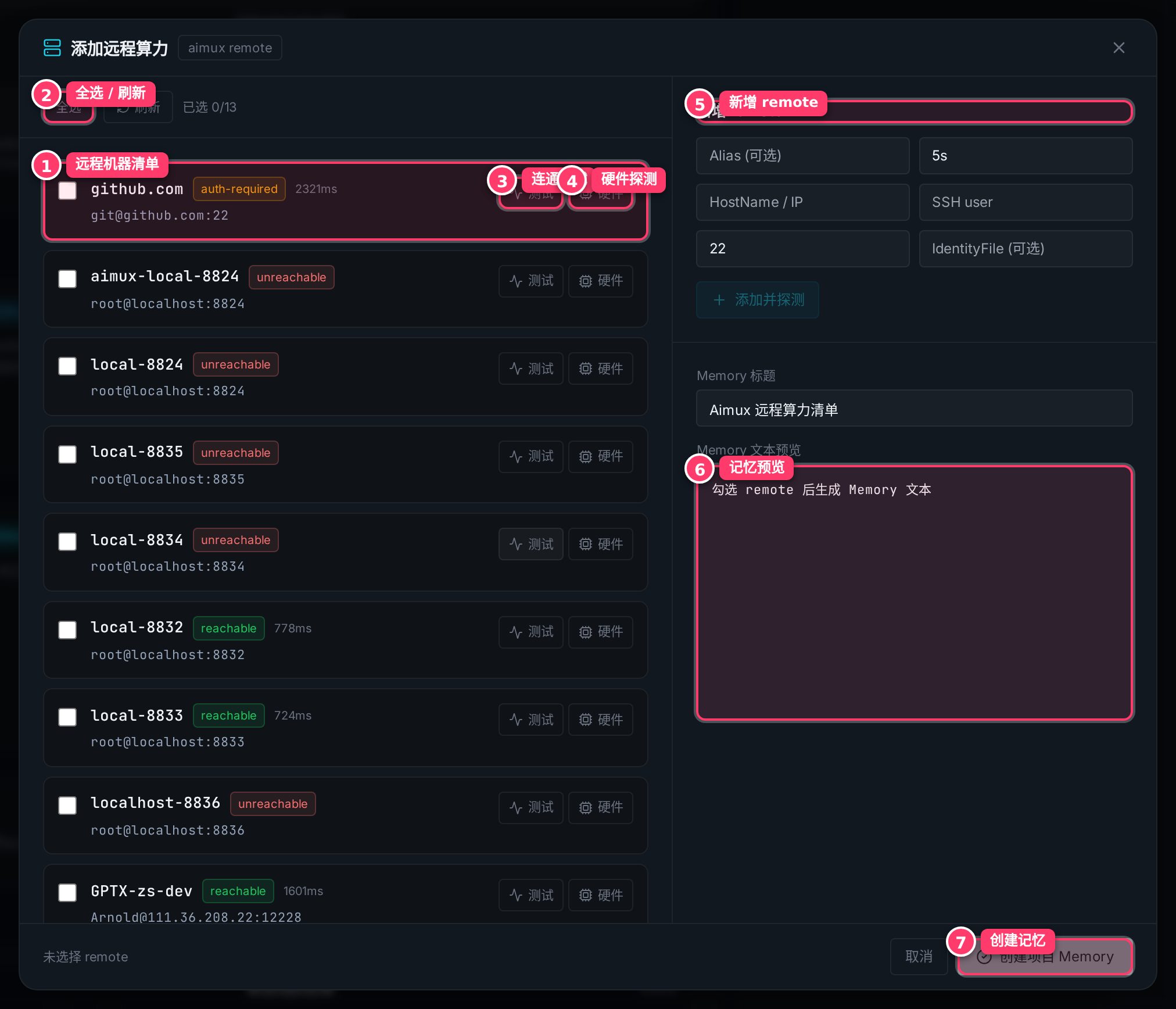
- ① Remote machine list: auto-read from the local
aimux remotelist and~/.ssh/config.reachablemeans passwordless SSH is verified;auth-requiredmeans login still needs handling. - ② Select all / Refresh: batch-select or reload the latest list.
- ③ Connectivity test: confirm whether the host is currently reachable.
- ④ Hardware probe: detect GPU / CPU / memory so later agents can route GPU-heavy work correctly.
- ⑤ Add remote: for machines not in the list, enter
Alias / HostName / SSH user / Port / IdentityFile. - ⑥ Memory preview: the Markdown memory updates live as you select machines.
- ⑦ Create memory: write it once you're happy.
3. Select → Test → Probe hardware → Set working dir
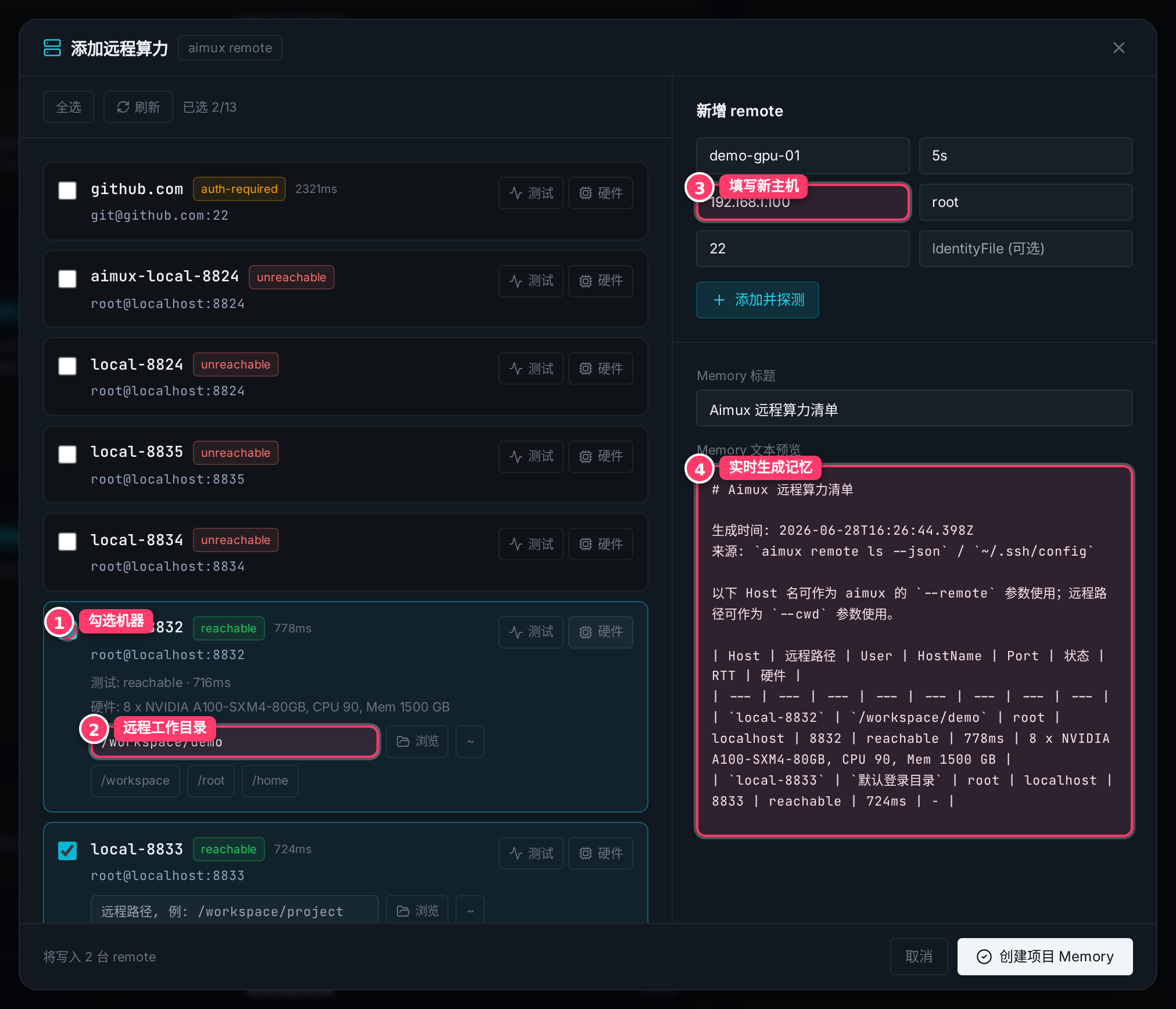
- Check the machines to authorize for this project (①).
- Click [Test] to confirm reachability; click [Hardware] to probe compute (results fill back into the row).
- Fill the default remote working directory for each machine (②): type it, browse the real remote path, or use a shortcut
~//workspace//root//home. - For machines missing from the list, fill the form on the right (③) and click "Add & probe".
- The preview below (④) updates live.
4. Create the project memory
Once the preview looks right, click [Create Project Memory] at the bottom right.
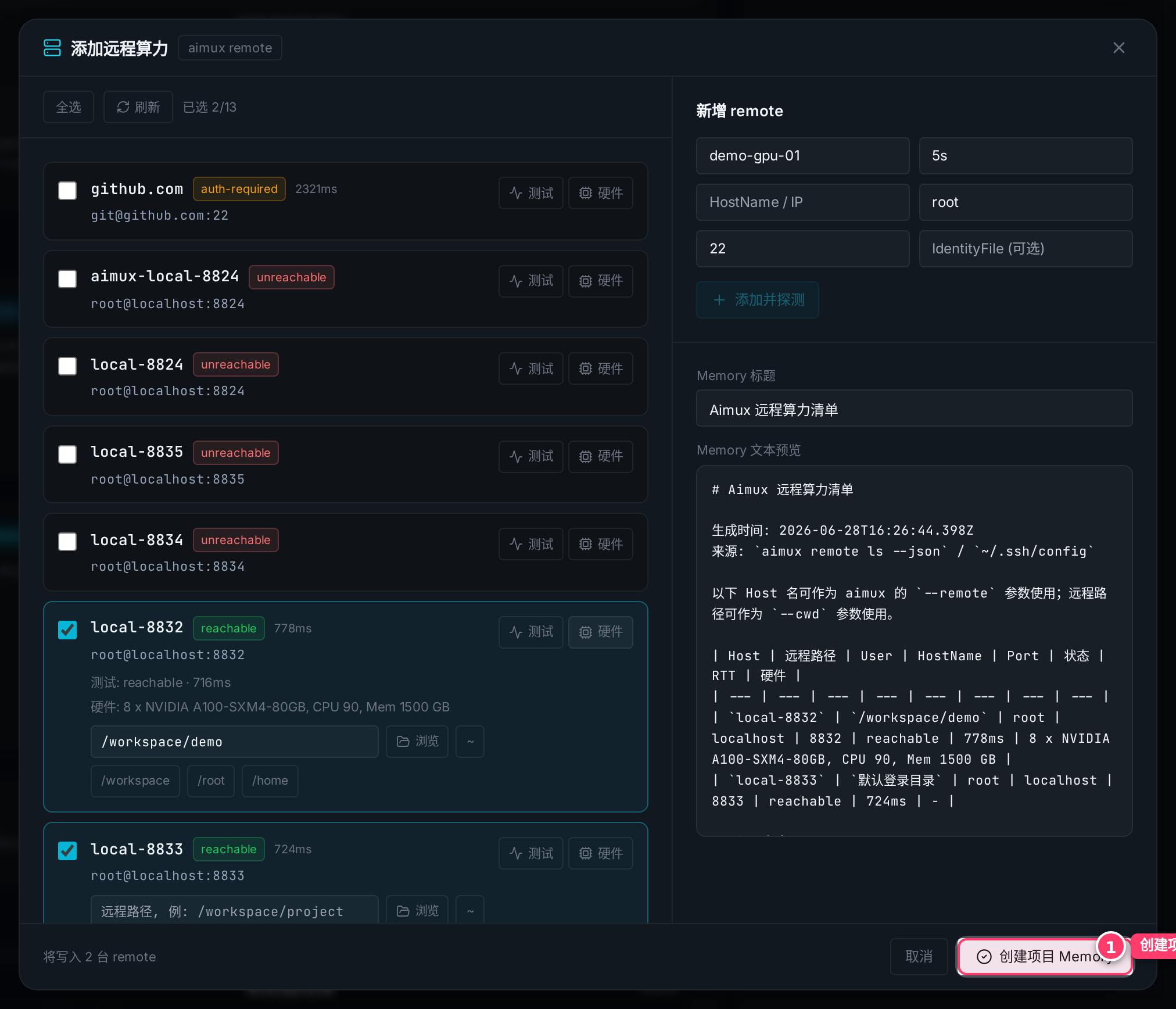
5. Memory written — new sessions pick it up automatically
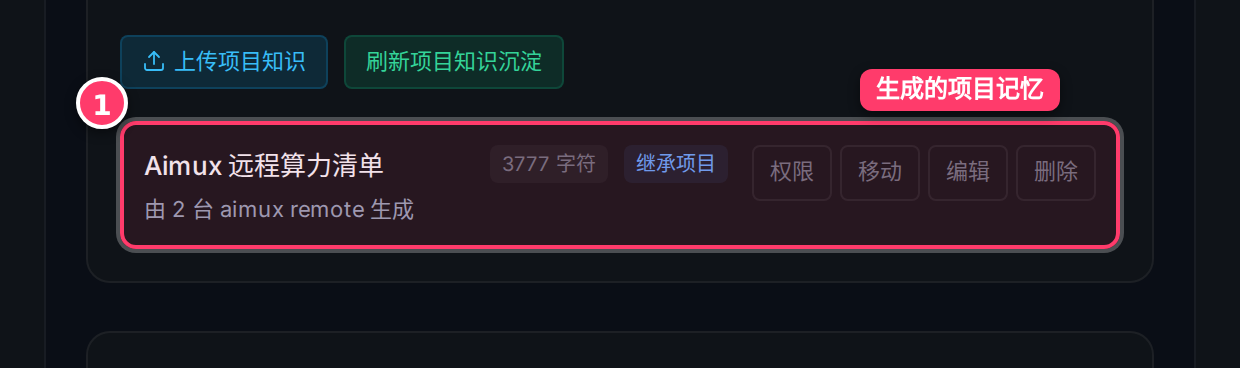
The memory appears in the "Project Memory" list. When you create a new execution session in this project, it is attached as context automatically — the agent can then drive remote compute using the format recorded in the memory.
Tip: a memory is attached when a session is created. If your hardware changes, just regenerate the memory — existing sessions are unaffected.