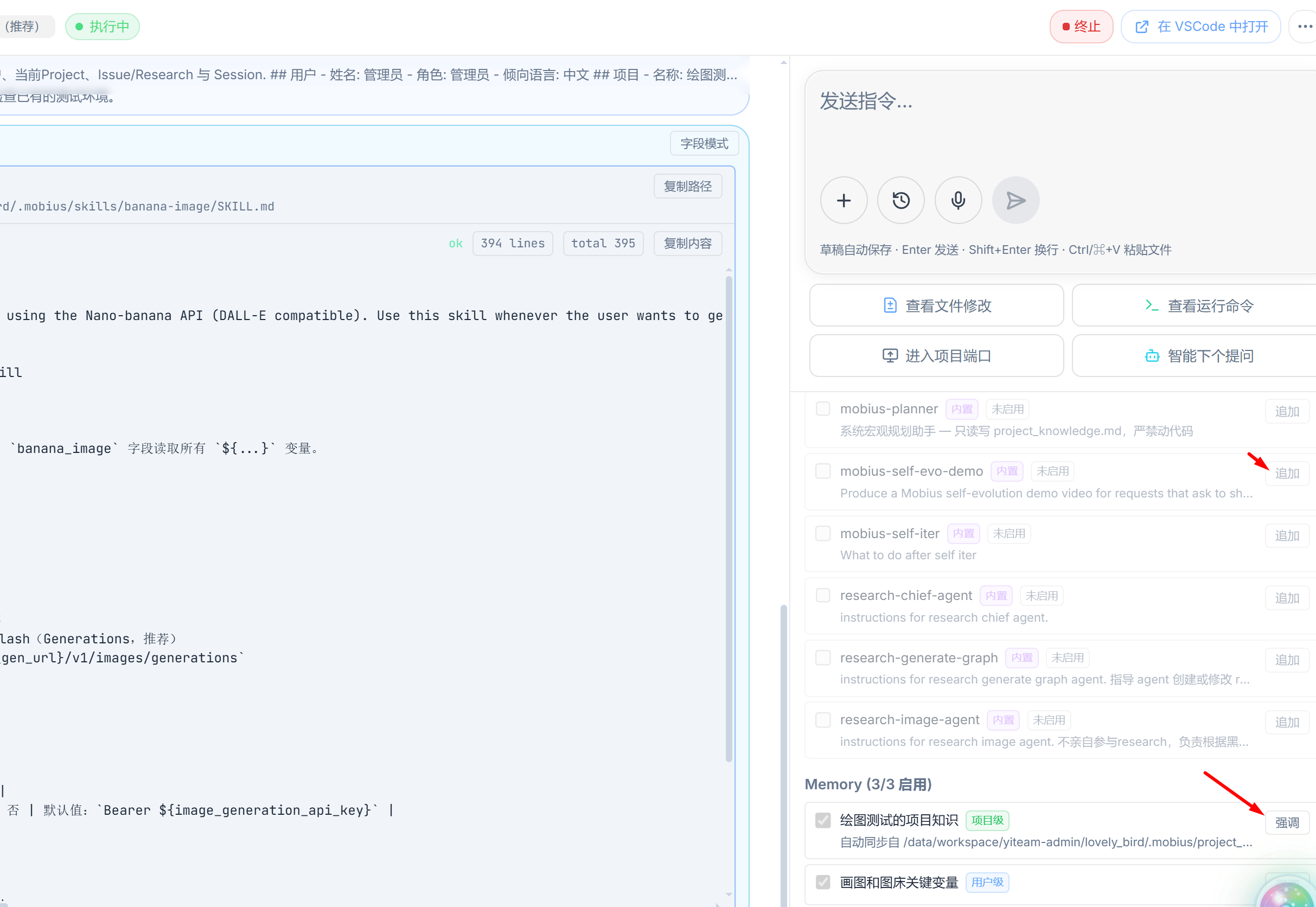
Create and Use Skills and Memory, and Share Them with Colleagues
In the Mobius system, Skills and Memory fall into the following three types
- Built-in: Common Skills that come with the project when deployed
- Apply to everyone and all projects
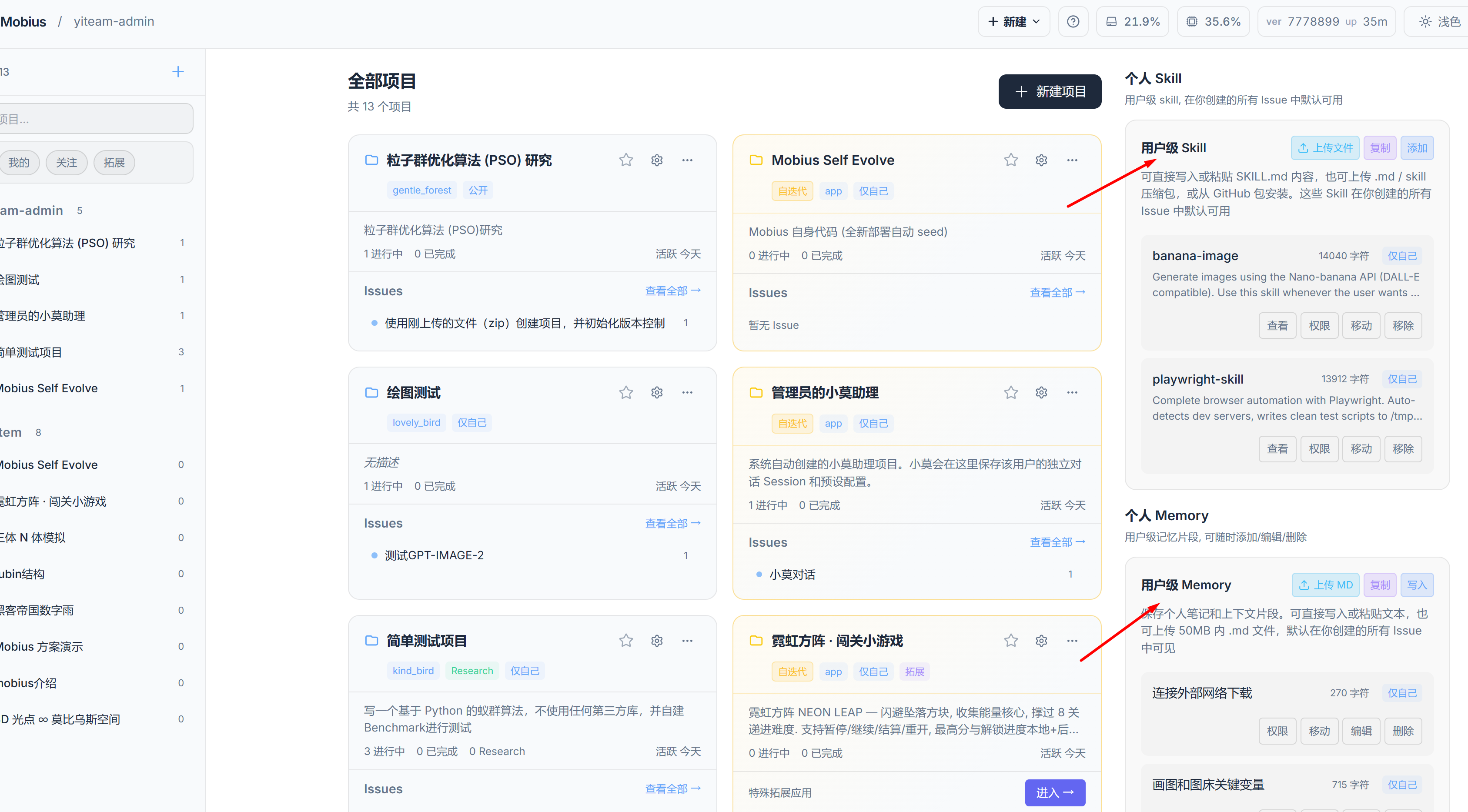
- User-level Skills and Memory: Added and edited on the user homepage; apply to all projects
- By default, user-level Skills and Memory are visible to and usable by only yourself
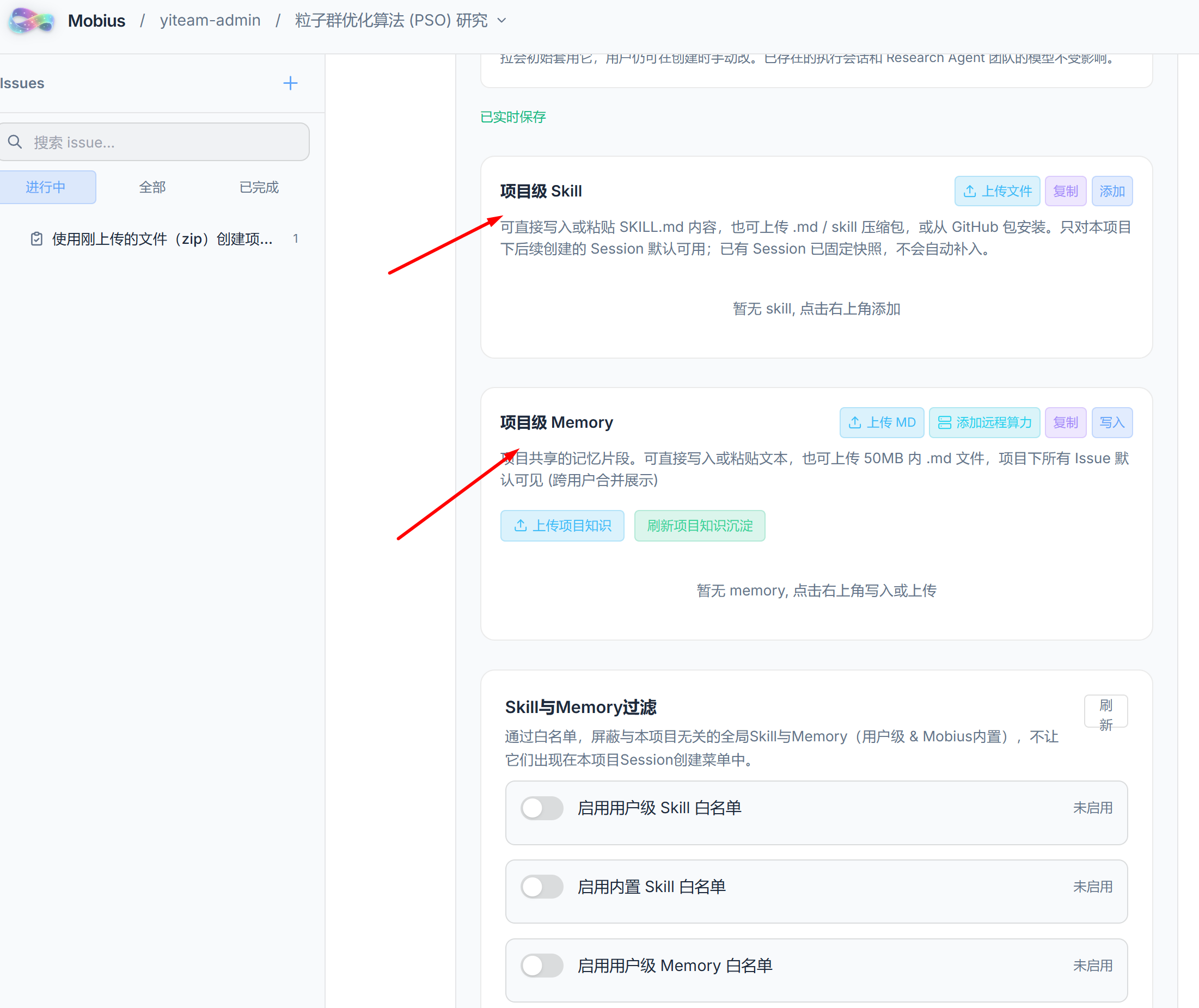
- Project-level Skills and Memory: Added and edited on the project homepage; apply to a specific project
- For example, a Skill for debugging Python code should not apply to a JavaScript frontend project; otherwise it wastes tokens and can easily confuse the model
- Project-level Skills and Memory can be used by everyone who has access to the project
Add and Delete Skills and Memory
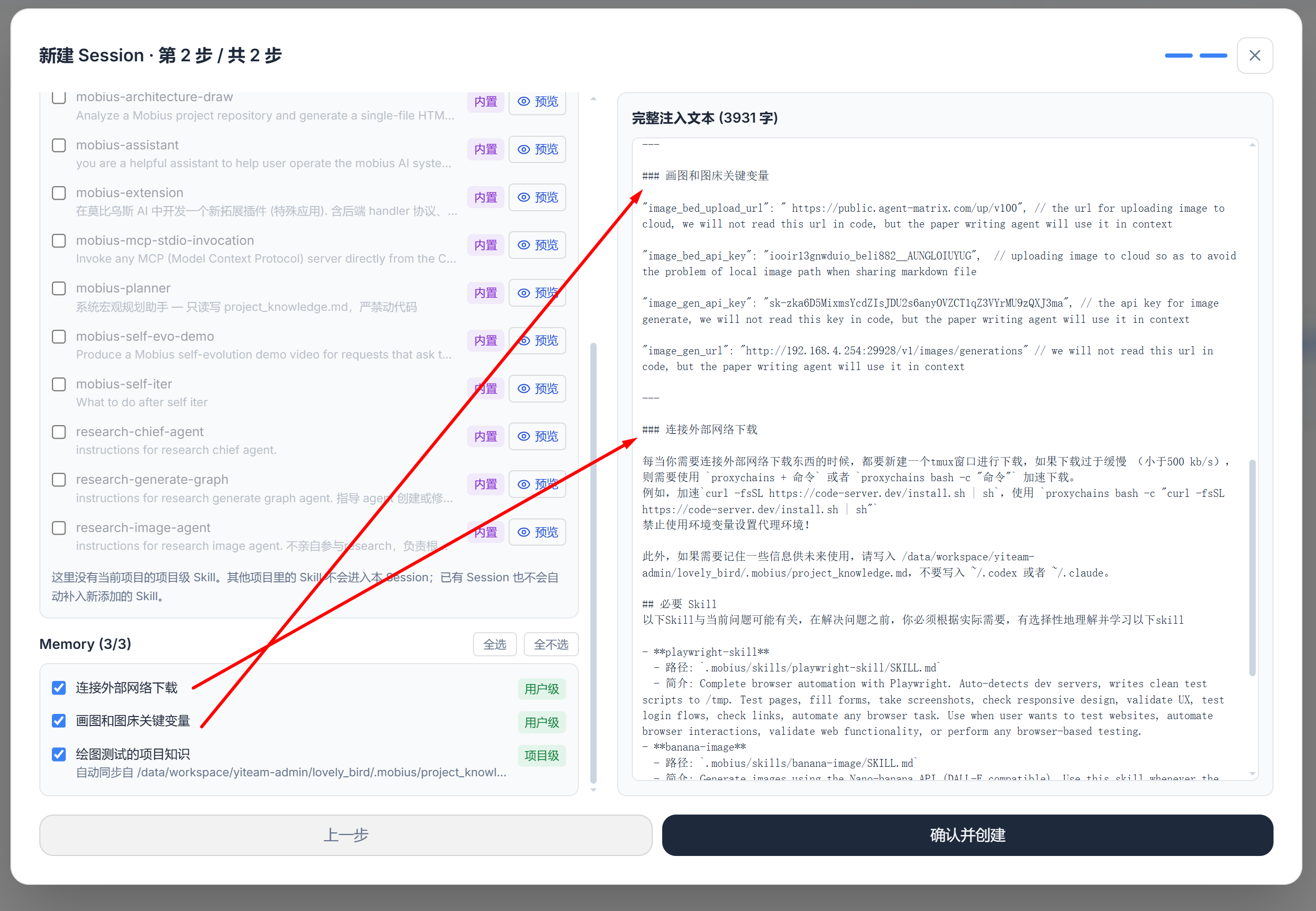
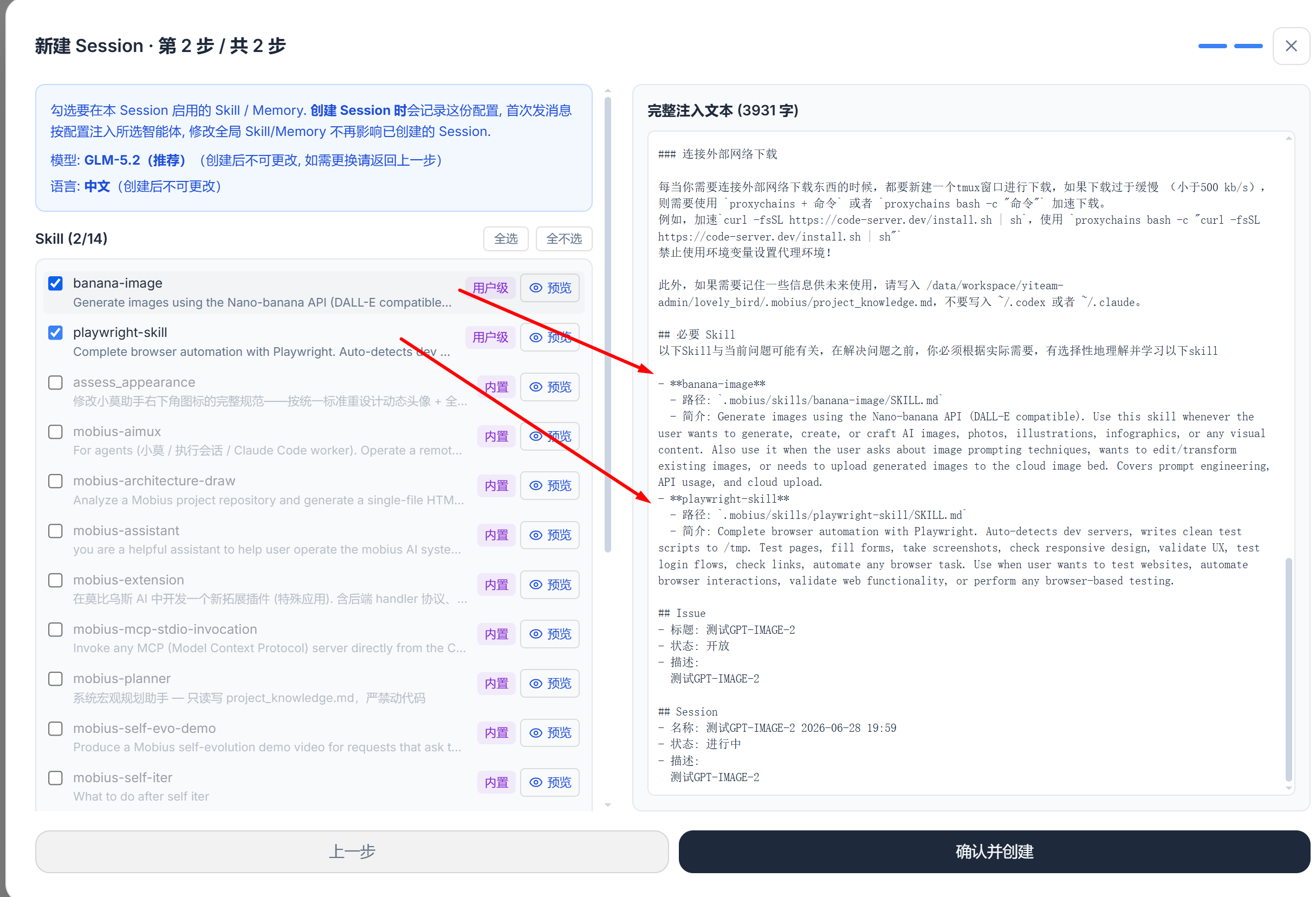
Use Skills and Memory: Just check the box when creating a Session
Append (or re-emphasize) a Skill or Memory midway through a Session