Tip: Switch the Model Mid-Session
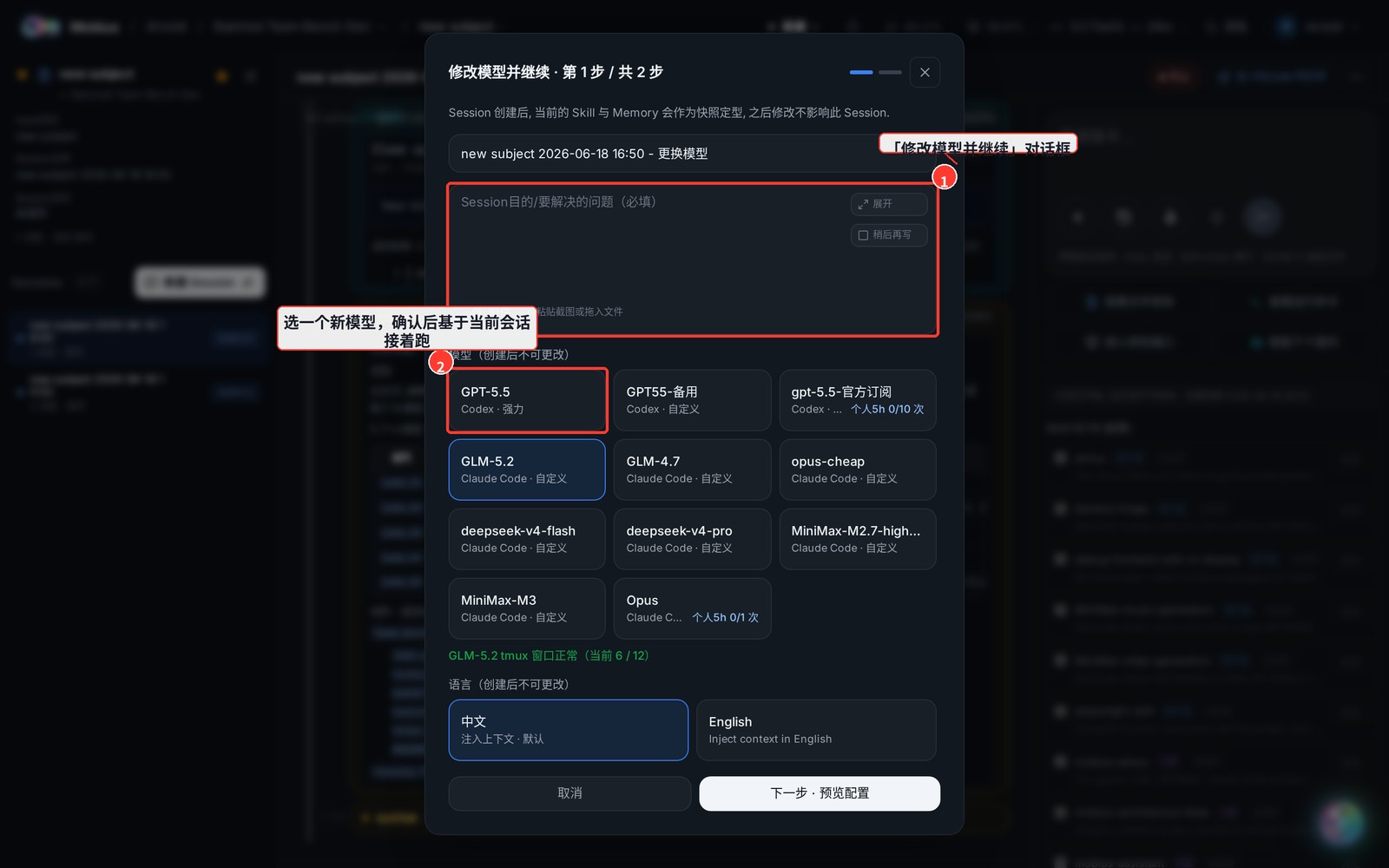
Halfway through a session, you can swap in another model and keep going (e.g. a stronger model for a hard part, a cheaper one for the wrap-up) — without starting over. "Change model and continue" spins up a new session carrying the current context.
How
- On the session page, open the "More actions" (⋯) menu next to the chat box.
- Pick "Change model and continue".
- Choose a new model in the dialog and confirm.
Notes
- It creates a new session (name suffixed with "- 更换模型") that inherits the current context, rather than mutating the original — so the original stays intact and traceable.
- Great for long tasks where you switch models per phase (strong model for design, fast model for bulk execution).